



Playback could not start. Try again or download the video.
You open your Google Ads report. There are clicks and conversions. Then you look at accepted quotes, and one question remains: which customers actually came from these campaigns?
For a business that sells services through quotes, answering this takes more than counting forms. Between an enquiry and a sale, there is a conversation, qualification, sometimes a visit, an offer and then a decision. This is the journey I suggest tracking.
You do not need to automate everything from the start. First agree on what you count, find the enquiries and record what happens to them. This gives you a much more useful basis for deciding where to spend your next euro.
What counts as a conversion in your account?
The word sounds precise, yet it needs checking. If your tracking counts a click on the “Call” button, it measures that click. It proves neither that the call connected, nor that someone answered, nor that an appointment was booked. Similarly, receiving a form does not yet tell you whether the enquiry fits your business.
My first recommendation: open the list of conversion actions and turn each label into a clear sentence. “This person sent an enquiry.” “This lead confirmed a need we can address.” “This quote was accepted.” If nobody can explain what a row measures, start by checking it.
Google Ads distinguishes primary actions, which can inform bidding when the campaign uses their goal, from secondary actions, intended for observation. There is an exception: a secondary action included in a custom goal can also inform bidding.1 The action name alone is therefore not enough. Its settings and the campaign goals matter too.
Keep distinct stages for your sales analysis. Google provides qualified lead and converted lead categories, informed by what happens in your sales system.2 Define them using your own criteria: for example, a need in your service area, a service you offer and someone you can reach. Then reserve “customer won” for a clearly defined commercial commitment.
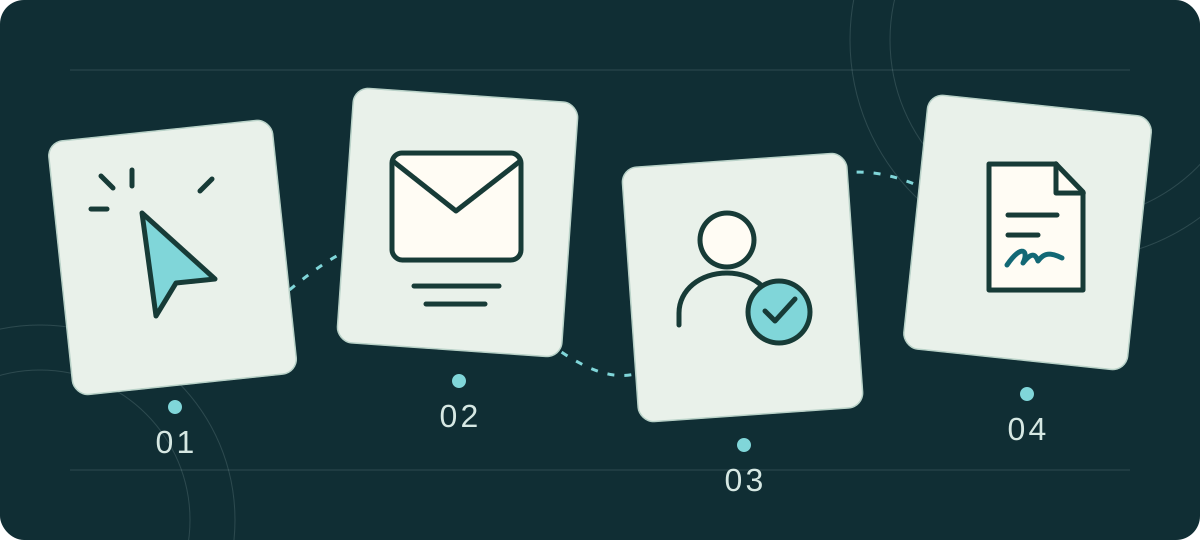
- 01ClickA visit from the ad
- 02EnquiryAn enquiry to assess
- 03Qualified leadA need you can address
- 04Customer wonA confirmed commitment
Finally, avoid adding these stages together to report a customer count. The same person may have submitted a form, called and signed. That is still one person, with several events along their journey.
The cheapest enquiry is not always the most valuable.
Let us take a deliberately simple example. Two campaigns each spend €1,000. We track each campaign’s enquiries through to their sales outcome over a comparable period. The figures below are fictional. They explain the calculation; they do not represent a Belgian average or a Kanexio result.
More enquiries, but fewer customers.
Enquiries received
Advertising spend per customer won
| Metric | Campaign A | Campaign B |
|---|---|---|
| Advertising spend | 1 000 € | 1 000 € |
| Distinct enquiries | 50 | 20 |
| Cost per enquiry | 20 € | 50 € |
| Customers won | 2 | 4 |
| Close rate | 4 % | 20 % |
| Advertising cost per customer | 500 € | 250 € |
If you stop at the form, A looks better value. Once sales are included, B costs less per customer won. The calculation changes because you look further along the journey.
That is still not enough to declare B more profitable. You need to know the projects’ value, their margin, the time spent handling enquiries and campaign management fees. A large project and a small job do not contribute equally to your business. I would therefore treat advertising cost per customer as a working metric, without reading more into it.
Run the numbers with your own assumptions.
The calculator follows the same logic. Enter spend, a number of distinct enquiries and an assumed close rate. Then change the rate to see the impact. The result is a scenario, not a Google Ads forecast.
Your advertising cost per customer
Fictional starting values. Replace them with your assumptions for the same acquisition period.
- Cost per enquiry
- 20,00 €
- Customers under this assumption
- 2
- Advertising cost per customer
- 500,00 €
Theoretical result. Management fees and sales time are not included.
Understand the calculation
Theoretical customers = enquiries × close rate ÷ 100. Advertising cost per customer = spend ÷ theoretical customers. Cost per enquiry = spend ÷ enquiries. A decimal customer count is a mathematical assumption, not a fraction of a person. With zero customers, cost per customer cannot be calculated.
The calculation stays in your browser. Values are neither saved nor sent.
If you already know how many customers were won, calculate your rate using those same enquiries: customers won divided by enquiries, multiplied by one hundred. Do not mix enquiries received this month with sales from much older enquiries.
To assess profitability, go further: how much remains from the services sold after delivery costs, advertising spend, fees and sales handling? Revenue alone does not answer that question.
The elements to bring together when assessing profitability.
- The assignmentIts value and margin
- AdvertisingCampaign spend
- ManagementFees and follow-up
- ToolsThe software used
- TimeSales handling
Start with tracking you will actually maintain.
I suggest starting with one record per enquiry in your sales management tool, or a spreadsheet with restricted access if your volume allows it. Give each enquiry an ID and keep its date, source where known, requested service, status and the person responsible for following up.
Add the associated quote, its value and the outcome of the conversation. If it is declined, a short reason is enough: outside your area, service not offered, incompatible timing, offer rejected or person unreachable. The aim is to understand what is happening precisely enough to act.
Include an “in progress” status too. A recent enquiry still awaiting an appointment should not be counted as a failure. Compare groups of enquiries that have had a reasonably similar time to reach an outcome. In a small business, a few accepted quotes can change a percentage considerably: look at the cases behind the figure.
When the source is uncertain, record it as “unknown”. You can ask the customer how they found you, but keep their answer as self-reported information. On its own, it does not prove which ad triggered the sale.
One enquiry, one record, one outcome to document.
- Source
- Unknown
- Service
- To be qualified
- Owner
- To be assigned
- Quote
- To be entered
Connecting this tracking to Google Ads
Once your statuses are reliable, you can consider sending them to Google Ads. Offline conversion imports connect an ad interaction with a later event, such as a sale completed over the phone.3
Enhanced conversions for leads use hashed customer data, among other signals, to improve this matching. Implementation should be checked in Google Ads diagnostics.4 For a business owner, the question to ask your provider is simple: which stage is sent, when, and how do we check it matches the right record?
Before making this new stage a bidding goal, I recommend checking data quality, duplicates and delays. The choice also depends on the volume actually available. A setting cannot replace up-to-date sales tracking.
This connection also requires checking which data you may share. Google’s policies require you to inform customers and obtain their permission where required by law. They prohibit enhanced conversions for certain sensitive categories.5 Do not export your customer database by default. Have the scope appropriate to your business validated before configuration.
What should you fix before increasing the budget?
At this stage, you can examine the journey using concrete evidence. I would look at the following situations, in this order, checking each assumption against your own data.
The enquiries do not match your offer.
Review a few rejected enquiries and look for what they have in common. Are people expecting a service you do not offer? Are they too far away? Does the ad suggest a price or availability you cannot deliver? Compare the available search terms, targeting, ad copy and landing page.
Visitors arrive, but few contact you.
Open the page on your phone and follow the journey. Can you quickly understand what is offered, for whom and in which area? Does the button go to the right place? Does the form work? Is the information requested necessary for this first conversation? Our article on landing page mistakes explains these checks.
The enquiries are relevant, then the conversation stops.
Look at how enquiries are handled: who replies, how quickly, and with what proposed next step? Check that messages and quotes are being received too. If you doubt their delivery, start by tracing the journey of your emails. A useful follow-up first requires the initial exchange to have taken place.
Sales are coming in, but their contribution remains insufficient.
Review the margin on each service and the full cost of acquisition. You may need to rethink the services you promote, the area you cover, your offer terms or how you qualify enquiries. Increase the budget after this review, with a defined objective and a way to check the outcome.
If you are still deciding which channel to choose, the guide website, SEO or Google Ads: where should you invest first? addresses that earlier decision.
The first step: revisit your recent enquiries.
To start, choose a period far enough in the past for the conversations to have reached an outcome. Find the enquiries, separate the relevant ones and record their outcomes. Where information is missing, make that visible instead of reconstructing certainty.
You will gain an initial view of your sales journey and a list of things to track more closely. I suggest using this as the basis for discussing your budget, website or automation. One question connects all these decisions: what will help suitable enquiries become worthwhile projects for your business?
Let us look at what happens to your enquiries.
Already investing in Google Ads but still unsure how it connects to sales? We can review your journey, metrics and the points to check before deciding what comes next.
Speak with Hani Explore our visibility supportSources and methods
The features described are based on Google Ads documentation consulted on 29 September 2026. The organisational advice reflects the method proposed in this article.
- Google Ads · Primary and secondary conversion actions. Their role in reporting and bidding, including the custom goal exception. View source 1. Checked on 29 September 2026.
- Google Ads · Qualified and converted leads. Definitions and tracking of stages completed in the CRM or sales system. View source 2. Checked on 29 September 2026.
- Google Ads · Offline conversion imports. Connecting an ad interaction with a sale completed later. View source 3. Checked on 29 September 2026.
- Google Ads · Enhanced conversions for leads. How matching works with hashed customer data and how to check diagnostics. View source 4. Checked on 29 September 2026.
- Google Ads · Customer data policies. Direct collection, disclosure, applicable consent and restrictions on sensitive categories. View source 5. Checked on 29 September 2026.
About the figures. The comparison and the calculator’s initial values are fictional examples. No customer results are presented. I do not suggest a “normal” cost per enquiry, an expected close rate or an ideal budget: without knowing your service, margin and sales cycle, these figures would be of little use. The calculator excludes fees, tools, sales time and delivery costs. It measures neither profit nor the additional sales caused by advertising.